Create HiDPI virtual displays without a physical monitor, right from a free macOS menu bar app. You can also control brightness and contrast on real monitors via DDC.
FreeDisplay (GridJapan fork) fully supports gjPiPWindow. We tuned it for running three virtual displays full time, fixing four bugs in the official version and adding four feature sets: resolution persistence, presets, per-display identity, and per-display closing.
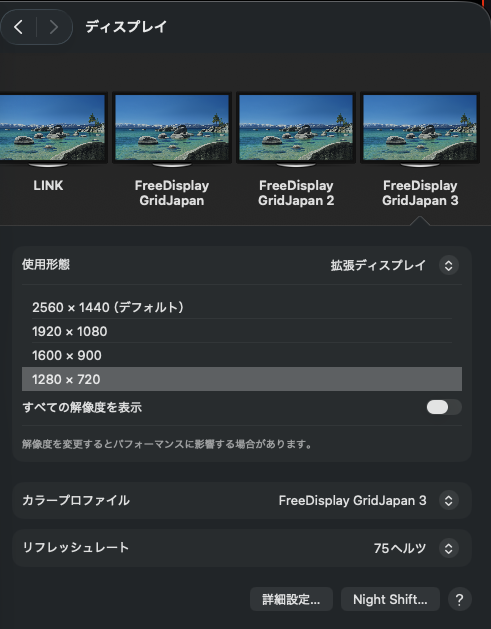
To macOS, the virtual displays FreeDisplay creates are real displays. They sit alongside physical monitors in System Settings, with selectable resolutions and a 75Hz refresh rate.
Create displays without a physical monitor, and run multiple at the same time.
Control external monitor hardware settings directly through IOKit I2C.
Use the keyboard brightness keys with external monitors and show the HUD.
Adjust brightness automatically based on time of day.
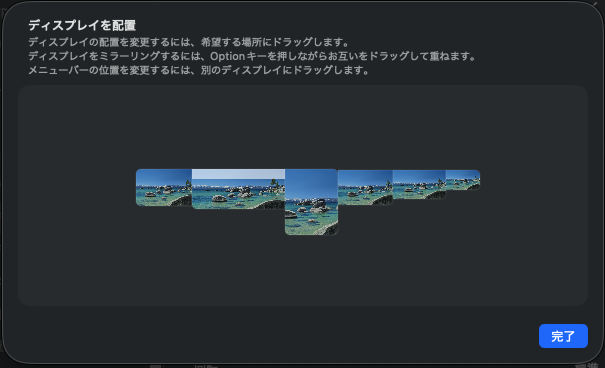
Set the display layout and switch the main display.
Switch ICC profiles per display.
Adjust gamma, contrast, color temperature, and color inversion in software.
Save and restore display configurations.
This fork was built to keep three virtual displays running side by side in gjPiP. Along the way, it fixes four bugs found in the official version and adds four missing features. Details are in README.
An @MainActor closure ran on the DDC queue and failed Swift's isolation checks. Pressing a brightness key once was enough to reproduce it.
ScrollView had no ideal height. Because the window-style MenuBarExtra sizes itself from the ideal height, all menu content disappeared.
The change itself triggered auto-arrangement, which pulled the display away from the origin.
The duplicate guard checked width and height instead of ID.
FreeDisplay remembers the resolution selected in System Settings and keeps it after restart. In the official version, it can silently revert after a while.
Added 1920×1200 and 2048×1280 as creation-time options.
Each display now has its own name and serial, so macOS can correctly remember and restore arrangements for all three.
Previously, displays could only be closed all at once. Now you can close each one individually.
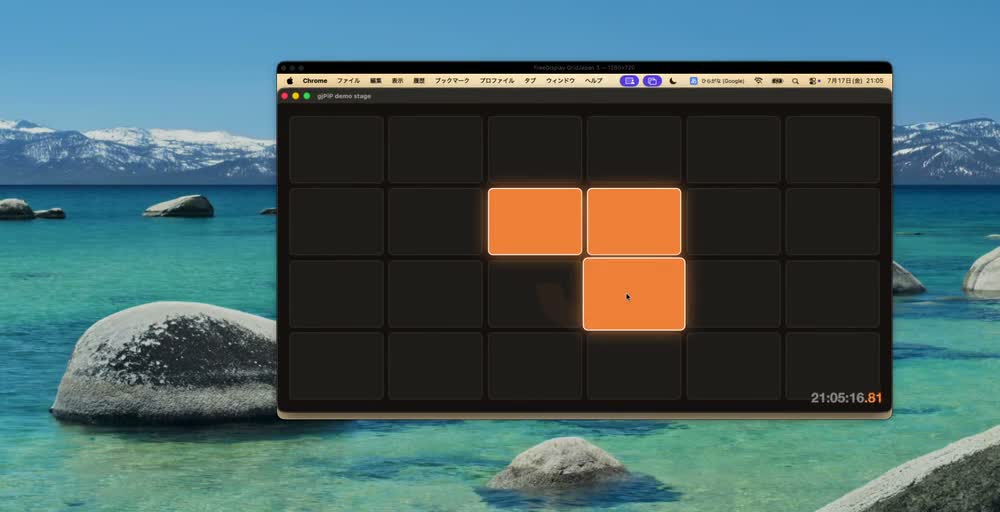
A virtual display has no physical monitor. Viewing and controlling it is the job of the companion app gjPiP. Show any display in live PiP and control it with your mouse through PiP.
Build from source. The repository includes an Xcode project, so if Xcode is installed, you can build it directly.
# Clone and build (creates build/FreeDisplay.dmg) git clone https://github.com/GridJapan/FreeDisplay.git cd FreeDisplay ./build.sh # Open the DMG and move FreeDisplay.app to Applications. # Because it is unsigned, launch it the first time by right-clicking → "Open".
| Permission | Purpose |
|---|---|
| Accessibility | Used to intercept the keyboard brightness keys when using external monitors. |
No network connection is used, except optional update checks against GitHub Releases.